Due diligence
Is a No-Cost POS Too Good to Be True? What to Ask
Skepticism is healthy. A legitimate no-cost POS program explains qualification, spells out what is included, and shows how support works. A bad one rushes paperwork and dodges details.
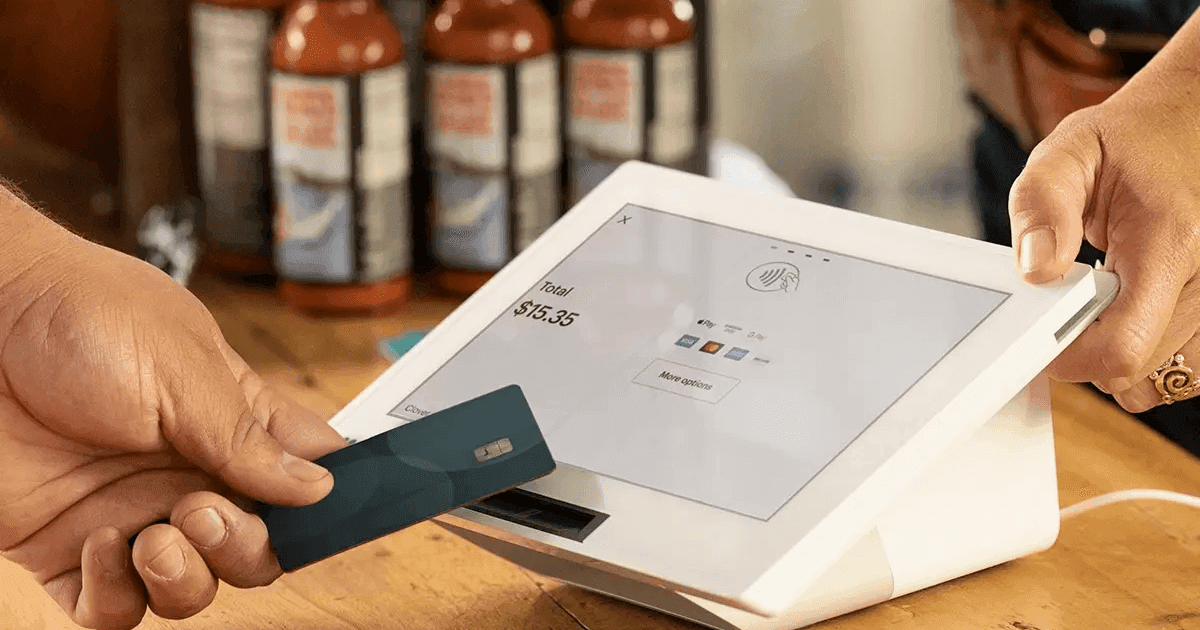
No-cost does not mean “no revenue for anyone.” It means the equipment is included as part of a processing relationship that makes sense for both sides. Programs vary by industry risk, average ticket, and monthly volume. Expect underwriting, not instant approval for every applicant with zero questions.
Questions that deserve clear answers
- Exactly which devices and accessories are included?
- What happens if a terminal fails, who ships a replacement, and how fast?
- How is pricing structured: interchange-plus, flat, or something else?
- Are there monthly software or compliance fees beyond processing?
If answers are vague, pause. Ethical providers document what you are signing. They also explain how to exit if the fit is wrong, without drama.
Bring your Wi-Fi layout, peak-hour ticket counts, and any integrations you cannot lose. A no-cost POS conversation should feel like planning operations, not just signing a merchant application. When providers understand your floor plan and staffing, they recommend fewer wrong devices and more of the peripherals you will actually plug in on day one.

Red flags
Pressure to sign before you read, promises that sound identical for every business type, or equipment that does not match your workflow are warning signs. Your POS should survive Friday night volume, not just Tuesday afternoon demos.
Omega Bank Card would rather turn down a poor fit than place a system that frustrates you. We walk through the same question list we recommend here, before you commit.
No-cost POS can be a smart move when the program is transparent and the equipment matches your operation. Ask direct questions, read what you sign, and pick a partner who welcomes the scrutiny.
Compliance is operational—not a PDF in a drawer
Payment compliance shows up at the register: posted prices, receipt language, tender routing, staff scripts, and how refunds appear on customer statements. When marketing calls a program "surcharge" but the POS applies fees to debit, exposure accumulates quietly until a brand complaint or network notice arrives.
Georgia merchants should document program type, cap, effective date, and training acknowledgments in one internal file. Our compliance checklist covers cash discount, dual pricing, and surcharging patterns side by side—not as interchangeable buzzwords.
Omega Bank Card issues setup notes merchants can hand to shift leads: what the program is called, which tenders it touches, and where customers first see the price that matches the receipt.
PCI scope follows how data touches your systems
PCI is not a single checkbox. SAQ type depends on whether card data is fully outsourced to a hosted page, entered on a standalone terminal, or typed into a PC-based virtual terminal. Adding ecommerce, mobile swipers, or billing-on-file can change your questionnaire overnight.
Read PCI in plain English and which SAQ type you need. Pair gateway tokenization from our gateway hub with staff training so card numbers do not land in email or spreadsheets.
Non-compliance fees on statements are often avoidable with timely attestation and sensible device hygiene—unique logins, supported hardware, and no shared passwords on POS stations.
- Revisit SAQ type when you add ecommerce or stored cards.
- Keep processor compliance notices with your attestation PDFs.
- Train new hires on tender rules before their first solo shift.
- Match receipt descriptors to storefront branding customers expect.
Reduce disputes with clear customer communication
Many chargebacks are confusion events, not fraud. Clear descriptors, emailed receipts, return policies on the website, and consistent refund timing prevent "I do not recognize this" disputes that hurt your ratio and invite monitoring.
Chargebacks 101 explains representment basics. how to read a merchant statement and calculate your effective rate adds context for your specific program or industry.
Need a second set of eyes on signage and terminal settings? Request a review or start with a statement audit so pricing and compliance align on the same facts.
Common questions merchants ask about this topic
Merchants researching "Is a No-Cost POS Too Good to Be True? What to Ask" usually want three answers: what will I actually pay after fees, what changes at the register, and what happens if something goes wrong with a chargeback or compliance notice. Those answers live on your statement and in your terminal settings—not in a generic rate quote.
Omega Bank Card recommends a quarterly fifteen-minute review: effective rate trend, new line items, batch closeout discipline, and whether your PCI attestation is current. Small fixes often beat processor churn. When churn does make sense, move with statement math and a documented migration checklist so deposits do not gap during the switch.
Still comparing options? Browse more articles on the Omega blog, explore credit card processing services, or request a free statement audit to ground the conversation in your real numbers.
- How do I calculate effective rate? Total fees ÷ card sales for the same period.
- When should I switch processors? When transparency or service blocks fixes—or savings clear your switching cost hurdle.
- Does Omega support my industry? We serve retail, restaurants, healthcare-adjacent, field service, ecommerce, and high-risk verticals with sponsor-bank fit reviewed up front.
- Where do I start? Get started or fee check with a recent PDF statement.
A sustainable review rhythm keeps costs predictable
One-time processor shopping fixes yesterday’s rate—not next quarter’s card mix. Set a recurring calendar reminder to export your statement PDF, recalculate effective rate, and note any new line items. Hidden fees often appear after promotional periods end, equipment leases begin, or PCI non-compliance triggers monthly penalties.
Pair financial review with operational review: Are managers batching terminals on schedule? Is keyed entry limited to true phone orders? Are ecommerce descriptors recognizable? Those habits affect due diligence businesses as much as basis-point negotiations—especially when rewards cards dominate weekend volume.
Omega Bank Card serves Atlanta-area merchants and businesses nationwide. Whether you need gateways for online sales, wireless terminals for field teams, or high-risk underwriting reviewed up front, anchor decisions in statement math—not slogans. Get started when you want a partner who documents recommendations in writing.
- Compare this month’s effective rate to the same month last year—not only to last month.
- Archive processor change letters; they explain new fees months later.
- Train seasonal staff on EMV and tap before peaks, not during them.
- Keep related blog guides bookmarked for your finance lead and floor manager.
Put the checklist to work this week
Knowledge only helps when it changes a habit or a contract term. Block thirty minutes with your manager or bookkeeper: pull last month’s statement, mark any line you cannot explain, and list checkout scenarios that still rely on keyed entry. That short exercise usually surfaces more savings than another round of generic rate quotes.
If this article overlaps with how to read a merchant statement and calculate your effective rate, read both before you call your processor—armed questions get clearer answers. Omega’s free statement audit is built for that conversation: we translate dense PDFs into decisions you can make without a payments engineering degree.
When you are ready to compare structured options—not just swap one teaser rate for another—contact Omega Bank Card. We will map is a no-cost pos too good to be true? what to ask to the processing model, hardware, and compliance posture you actually run today.
Comments
Loading comments…
Related reads
Due diligence
Early Termination Fees: What They Cost and How to Leave Cleanly
How merchant processing early termination fees work, what to look for in the contract, equipment leases versus processing ETFs, and how to exit without downtime.
Multi-state agents
Multi-State Merchant Services Agent Books
Producing in more than one state: support, price-display rules, Square vs Clover, residuals. Different from portable residuals when you leave an ISO.
College town agents
College-Town Merchant Services Agents
Agents covering college towns: student card mix, summer silence, bars and QSR, Square vs IC+. No quotas. Not a campus exclusive-territory fantasy.
Want a second opinion on your statement?
We review what you pay today, line by line, and show how transparent pricing compares-no obligation to switch.
Get a Free Statement Audit