POS strategy
Retailz POS for Smoke Shops and Convenience Stores: What to Expect
Smoke shops and convenience stores juggle age-restricted SKUs, high SKU counts, and fast counter turnover. Retailz POS targets that world—but success depends on inventory discipline and a processor who understands your category.

Inventory and category control
Retailz shines when variants, case packs, and vendor catalogs need tight tracking. Set up categories, tax rules, and reorder points before you import thousands of SKUs. Age-restricted products should prompt verification steps your staff can execute without slowing the line.
Checkout speed at the counter
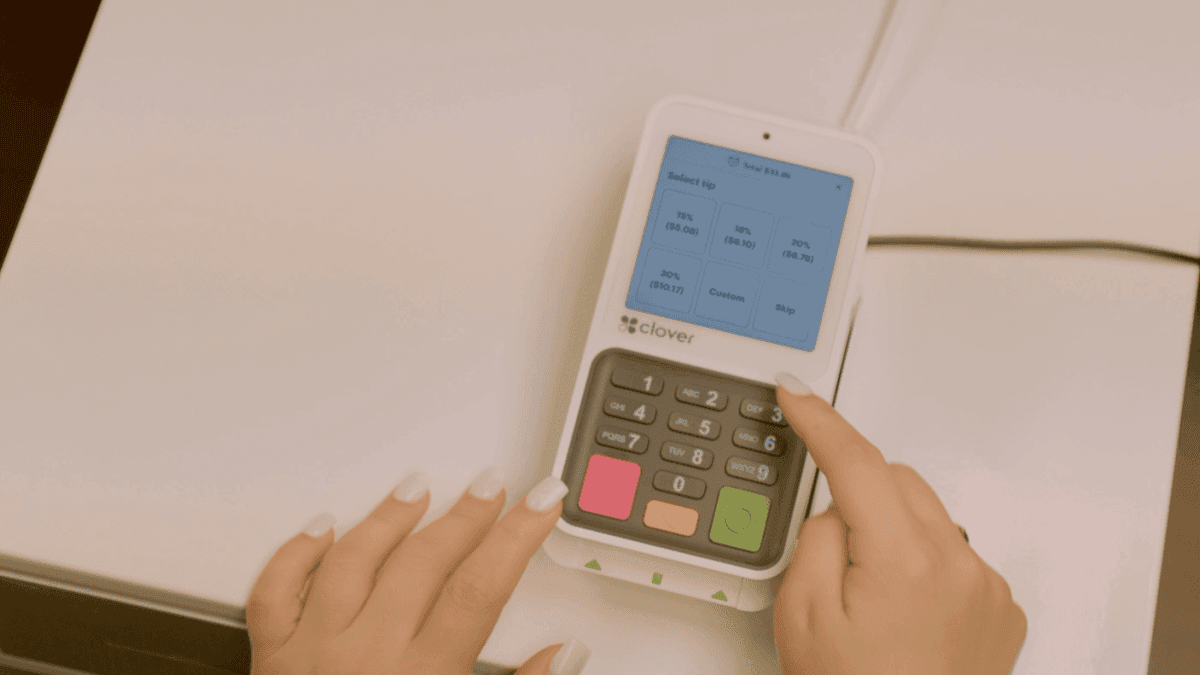
Convenience buyers tolerate short waits, not reboots. Use contactless-capable hardware, barcode scanners, and hot keys for top sellers. Keep a backup plan for internet blips—know whether your lane can store-and-forward or needs a failover procedure.
- Audit price books weekly—sticker drift causes disputes.
- Separate cash discount or dual pricing signage if you run those programs.
- Review chargebacks on high-risk SKUs monthly.
Compliance and underwriting reality
Tobacco and related categories face stricter underwriting. Submit accurate volume and product mix on your application. Processor support for your MCC prevents mid-contract surprises.
Retailz plus processing in one conversation
Explore Retailz hardware and workflows at /pos/retailz-pos. Omega Bank Card pairs Retailz deployments with transparent interchange-plus pricing and compliant cash-discount or dual-pricing options when they fit your lane—so margin is not lost at both inventory and processing layers.
POS and processing are one system—price them together
Hardware quotes are easy to compare; total cost of ownership is not. Software modules, per-device fees, gateway add-ons, and processing markup interact on the same deposit. A "free" terminal with opaque tiered processing can cost more than purchased equipment on interchange-plus within a year.
Tour POS options—Square, Clover, Retailz, Union, and others—with your statement in hand. Clover for Atlanta restaurants and Retailz for convenience retail show how vertical workflows change device choice.
Omega Bank Card pairs equipment decisions with interchange-plus pricing so savings from better capture habits show on the statement—not just in shorter lines.
Deployment details that prevent day-one friction
Order numbers, MID activation, tipping presets, tax lines, offline mode, and gateway credentials should be tested on live small transactions before you open the doors. Underwriting approval without configured terminals is a common opening-week failure mode for new Atlanta locations.
Virtual terminals and physical terminals carry different PCI scopes. Virtual vs physical terminals and SAQ selection should be reviewed whenever you add phone orders or ecommerce.
For ecommerce-heavy stacks, compare payment gateways on plugin support, fraud tools, and deposit timing—not just per-transaction price.
- Standardize devices and closeout routines before opening location two.
- Label each terminal in reporting so downgrades trace to a store.
- Confirm tip adjust and pre-auth flows match your service model.
- Keep processor support contacts visible at the manager station.
Scale hardware without scaling confusion
Multi-unit operators should decide reporting hierarchy before adding handhelds or kiosks. MID strategy affects how chargebacks, reserves, and tax reporting flow to headquarters.
Read POS guide and equipment guide and underwriting timelines if you are adding locations or new tender types. Request a demo or quote when you are ready to align POS and processing with how guests actually pay in 2026.
Common questions merchants ask about this topic
Merchants researching "Retailz POS for Smoke Shops and Convenience Stores: What to Expect" usually want three answers: what will I actually pay after fees, what changes at the register, and what happens if something goes wrong with a chargeback or compliance notice. Those answers live on your statement and in your terminal settings—not in a generic rate quote.
Omega Bank Card recommends a quarterly fifteen-minute review: effective rate trend, new line items, batch closeout discipline, and whether your PCI attestation is current. Small fixes often beat processor churn. When churn does make sense, move with statement math and a documented migration checklist so deposits do not gap during the switch.
Still comparing options? Browse more articles on the Omega blog, explore credit card processing services, or request a free statement audit to ground the conversation in your real numbers.
- How do I calculate effective rate? Total fees ÷ card sales for the same period.
- When should I switch processors? When transparency or service blocks fixes—or savings clear your switching cost hurdle.
- Does Omega support my industry? We serve retail, restaurants, healthcare-adjacent, field service, ecommerce, and high-risk verticals with sponsor-bank fit reviewed up front.
- Where do I start? Get started or fee check with a recent PDF statement.
A sustainable review rhythm keeps costs predictable
One-time processor shopping fixes yesterday’s rate—not next quarter’s card mix. Set a recurring calendar reminder to export your statement PDF, recalculate effective rate, and note any new line items. Hidden fees often appear after promotional periods end, equipment leases begin, or PCI non-compliance triggers monthly penalties.
Pair financial review with operational review: Are managers batching terminals on schedule? Is keyed entry limited to true phone orders? Are ecommerce descriptors recognizable? Those habits affect pos strategy businesses as much as basis-point negotiations—especially when rewards cards dominate weekend volume.
Omega Bank Card serves Atlanta-area merchants and businesses nationwide. Whether you need gateways for online sales, wireless terminals for field teams, or high-risk underwriting reviewed up front, anchor decisions in statement math—not slogans. Get started when you want a partner who documents recommendations in writing.
- Compare this month’s effective rate to the same month last year—not only to last month.
- Archive processor change letters; they explain new fees months later.
- Train seasonal staff on EMV and tap before peaks, not during them.
- Keep related blog guides bookmarked for your finance lead and floor manager.
Put the checklist to work this week
Knowledge only helps when it changes a habit or a contract term. Block thirty minutes with your manager or bookkeeper: pull last month’s statement, mark any line you cannot explain, and list checkout scenarios that still rely on keyed entry. That short exercise usually surfaces more savings than another round of generic rate quotes.
If this article overlaps with companion guide and follow-up read, read both before you call your processor—armed questions get clearer answers. Omega’s free statement audit is built for that conversation: we translate dense PDFs into decisions you can make without a payments engineering degree.
When you are ready to compare structured options—not just swap one teaser rate for another—contact Omega Bank Card. We will map retailz pos for smoke shops and convenience stores: what to expect to the processing model, hardware, and compliance posture you actually run today.
Comments
Loading comments…
Related reads
Retail programs
Gift Cards and Loyalty Programs: Hidden Processing Implications
Gift card and loyalty program processing: load vs redemption fees, breakage, chargebacks, multi-location reporting, and PCI considerations for retailers.

Checkout habits
Contactless Tap-to-Pay for Georgia Retailers: Speed, Security, and Savings
Tap-to-pay for Georgia retailers: contactless EMV benefits, interchange categories, staff training, and terminal settings that keep checkout fast.
POS strategy
Clover Mini vs Flex vs Station: Which Device Your Shop Actually Needs
Compare Clover Mini 3, Flex 4, Station Solo, and Station Duo 2: counter vs tableside vs dual screen. How Omega matches hardware to the floor.
Want a second opinion on your statement?
We review what you pay today, line by line, and show how transparent pricing compares-no obligation to switch.
Get a Free Statement Audit