Square hardware
Square Tap to Pay vs a Real Terminal
Tap to Pay takes contactless on a compatible phone with no extra reader. That is a real Square path. It is not a chip card, not a receipt printer, and not a device a guest trusts at a dark patio table. Know when the phone is enough and when you have outgrown it.
What Tap to Pay does
Square supports Tap to Pay on iPhone and Android for contactless wallets and contactless cards on the phone itself. No Reader required for that rail. Staff still need the Square POS app, a charged phone, and a guest willing to tap a consumer device.
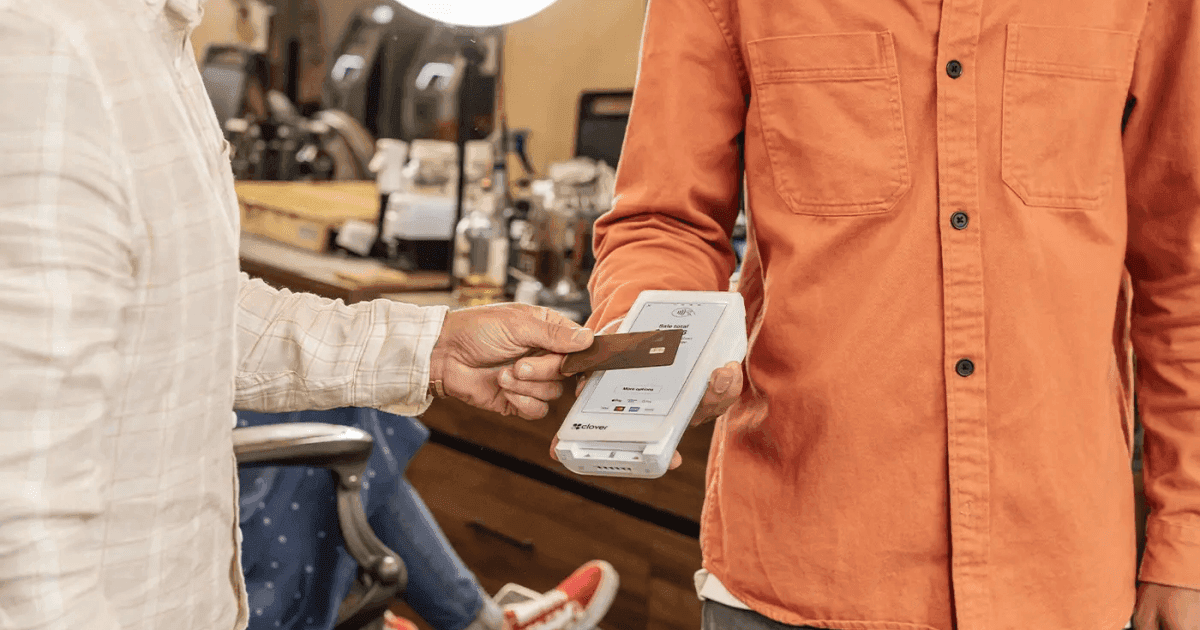
Georgia retailers on contactless generally: tap-to-pay habits. This page is the Square hardware fork.
What it does not replace
Reader adds chip and a dedicated tap target. Terminal adds a printer and a station that is not someone’s personal phone. Restaurants, salons, and busy retail outgrow Tap to Pay when phones die, when chip cards still show up, or when the brand wants a “card machine” on the desk.
- Solo operator, markets, house calls: Tap to Pay or Reader is rational.
- Multi-staff counters: Terminal or Register. Do not share one iPhone.
- PCI and lost-phone policy: a staff phone as POS is a process, not a hack.
- International or chip-only guests still exist. Have a Reader in the bag.
We will not upsell a Register for a yoga-in-the-park side hustle
We also will not leave a full-service dining room on Tap to Pay because it was free. See if Square fits. Call (866) 663-4204.
Square sets the price. Omega maps the floor.
Square publishes US software plans and processing rates. Omega Bank Card is an independent Square partner—not Block, Inc.—and does not invent a different list price. What we do is match Free, Plus, Premium, or custom pricing to how you actually sell: counter, tableside, invoices, or online.
Start on the Square partnership hub and the published plan table. Hardware—Register, Terminal, Handheld, Stand, Kiosk, Reader, kitchen display—is sold separately. Do not assume a Clover no-cost placement applies to Square.
If you already process a meaningful volume, run effective rate math on last month’s statement before you pick a plan. Square’s posted in-person rate is not the same as your all-in cost once online, keyed, Afterpay, and software fees land.
Partner onboarding versus a weekend of guesswork
Signing up on Square’s website gets you an account. It does not walk your lunch rush, confirm iPad compatibility for Stand, or tell you when Clover or interchange-plus is still the cleaner fit. That is the partner job.
Omega sequences hardware, software mode (restaurants, retail, appointments, invoices, online), tipping, taxes, and a cutover that does not go dark on a Friday. Square comparison and Square setup guide covers adjacent decisions in this cluster.
Merchants processing roughly $250,000 a year or more should ask about Square custom pricing—and whether a different Omega program beats it. Volume is a conversation, not a slogan.
- Confirm plan, hardware, and per-device app fees (KDS and Kiosk) in writing before you order.
- Test a live $1 ticket on every device before the first busy shift.
- Keep Clover and interchange-plus on the table if Square’s mix is wrong for your tickets.
- Train staff on tap, dip, and tip prompts before you print the new menu board.
See if Square fits—or send a statement if the rate is the problem
If you want Square POS through a human who stays after go-live, see if Square fits or schedule a walkthrough. Call (866) 663-4204.
If you already take cards and the POS is fine but the effective rate is not, request a statement audit. Staying on Square through Omega and moving to interchange-plus are different answers to different problems.
Square, Square Register, Square Terminal, and related marks are trademarks of Block, Inc. Hardware availability, software subscriptions, and processing rates are set by Square and may change. Confirm current figures before you enroll.
Common questions merchants ask about this topic
Merchants researching "Square Tap to Pay vs a Real Terminal" usually want three answers: what will I actually pay after fees, what changes at the register, and what happens if something goes wrong with a chargeback or compliance notice. Those answers live on your statement and in your terminal settings—not in a generic rate quote.
Omega Bank Card recommends a quarterly fifteen-minute review: effective rate trend, new line items, batch closeout discipline, and whether your PCI attestation is current. Small fixes often beat processor churn. When churn does make sense, move with statement math and a documented migration checklist so deposits do not gap during the switch.
Still comparing options? Browse more articles on the Omega blog, explore credit card processing services, or request a free statement audit to ground the conversation in your real numbers.
- How do I calculate effective rate? Total fees ÷ card sales for the same period.
- When should I switch processors? When transparency or service blocks fixes—or savings clear your switching cost hurdle.
- Does Omega support my industry? We serve retail, restaurants, healthcare-adjacent, field service, ecommerce, and high-risk verticals with sponsor-bank fit reviewed up front.
- Where do I start? Get started or fee check with a recent PDF statement.
A sustainable review rhythm keeps costs predictable
One-time processor shopping fixes yesterday’s rate—not next quarter’s card mix. Set a recurring calendar reminder to export your statement PDF, recalculate effective rate, and note any new line items. Hidden fees often appear after promotional periods end, equipment leases begin, or PCI non-compliance triggers monthly penalties.
Pair financial review with operational review: Are managers batching terminals on schedule? Is keyed entry limited to true phone orders? Are ecommerce descriptors recognizable? Those habits affect square hardware businesses as much as basis-point negotiations—especially when rewards cards dominate weekend volume.
Omega Bank Card serves Atlanta-area merchants and businesses nationwide. Whether you need gateways for online sales, wireless terminals for field teams, or high-risk underwriting reviewed up front, anchor decisions in statement math—not slogans. Get started when you want a partner who documents recommendations in writing.
- Compare this month’s effective rate to the same month last year—not only to last month.
- Archive processor change letters; they explain new fees months later.
- Train seasonal staff on EMV and tap before peaks, not during them.
- Keep related blog guides bookmarked for your finance lead and floor manager.
Put the checklist to work this week
Knowledge only helps when it changes a habit or a contract term. Block thirty minutes with your manager or bookkeeper: pull last month’s statement, mark any line you cannot explain, and list checkout scenarios that still rely on keyed entry. That short exercise usually surfaces more savings than another round of generic rate quotes.
If this article overlaps with companion guide and follow-up read, read both before you call your processor—armed questions get clearer answers. Omega’s free statement audit is built for that conversation: we translate dense PDFs into decisions you can make without a payments engineering degree.
When you are ready to compare structured options—not just swap one teaser rate for another—contact Omega Bank Card. We will map square tap to pay vs a real terminal to the processing model, hardware, and compliance posture you actually run today.
Comments
Loading comments…
Related reads
Square hardware
Square Reader vs Terminal: When a Phone Dongle Is Enough
Square Reader pairs with your phone for tap and chip. Square Terminal is a standalone POS with a printer. Know when you have outgrown the dongle.
Checkout habits
Contactless Tap-to-Pay for Georgia Retailers: Speed, Security, and Savings
Tap-to-pay for Georgia retailers: contactless EMV benefits, interchange categories, staff training, and terminal settings that keep checkout fast.
Square hardware
Moving from Square Reader to Register Without Losing History
Upgrade Square Reader or Tap to Pay to Register or Terminal: catalog, customers, gift cards, and a cutover that keeps your Square history.
Want a second opinion on your statement?
We review what you pay today, line by line, and show how transparent pricing compares-no obligation to switch.
Get a Free Statement Audit